



New website since October 2026. See what changed
Precision Colors Inks
Free ICC Profiles for Canon PGI-250 / CLI-251 Printers
Custom-built profiles for Precision Colors inks in six-ink Canon PIXMA printers that take PGI-250 and CLI-251 cartridges, such as the MG6320, MG7120, MG7520 and iP8720. Papers from Red River, Canon, Staples and Kirkland. Free to download, no signup required.
- Profiled with ArgyllCMS + i1Pro2
- D50 & tungsten variants in every zip
- Printer media settings included
PGI-250 / CLI-251 ICC Profiles (six-ink printers)
Search or browse by paper brand. Each listing shows the printer media setting to use.
Free ICC Profiles
Custom profiles made in-house with an XRite i1Pro2 spectrophotometer. Free to download.
13 papers across 4 brands
No papers match. Don't see yours? Contact us and we'll point you to the closest profile.
Kirkland Papers
Professional Glossy Tulip Version HQ SettingPaper setting: Photo Paper Plus Glossy II ZIPCanon Papers
Photo Paper Plus Glossy IIPaper setting: Photo Paper Plus Glossy II ZIP Photo Paper Plus Semi GlossPaper setting: Photo Paper Plus SemiGloss ZIP Photo Paper Pro LusterPaper setting: Photo Paper Pro Luster ZIPStaples Papers
Photo Plus GlossyPaper setting: Glossy Photo Paper ZIP Supreme MattePaper setting: Matte Photo Paper ZIPRed River Papers
Ultra Pro Satin 4Paper setting: Photo Paper Plus SemiGloss ZIP Arctic Polar SatinPaper setting: Photo Paper Plus SemiGloss ZIP Premium MattePaper setting: Matte Photo Paper ZIP Polar MattePaper setting: Matte Photo Paper ZIP Ultra Pro GlossPaper setting: Photo Paper Plus Glossy II ZIP Arctic Polar GlossPaper setting: Photo Paper Plus Glossy II ZIP Pecos River GlossPaper setting: Photo Paper Plus Glossy II ZIPAbout these profiles: rendering intent, lighting variants, licensing
Profiles are created with Argyll CMS and an XRite i1Pro2 spectrophotometer. Use Relative Colorimetric rendering intent. Each download includes the standard D50 profile plus a tungsten/quartz variant for warmer viewing light. Profiles are free for Precision Colors customers; commercial redistribution requires approval.
Installing your profile
Download the zip for your paper
Each zip bundles every lighting variant of the profile we make for that paper.
Install it
Mac: copy the profiles to Library/ColorSync/Profiles. Windows: right-click the .icc file and choose Install Profile.
Print with the right settings
Select the profile in your editing app, use Relative Colorimetric, and set the media type listed next to your paper above.
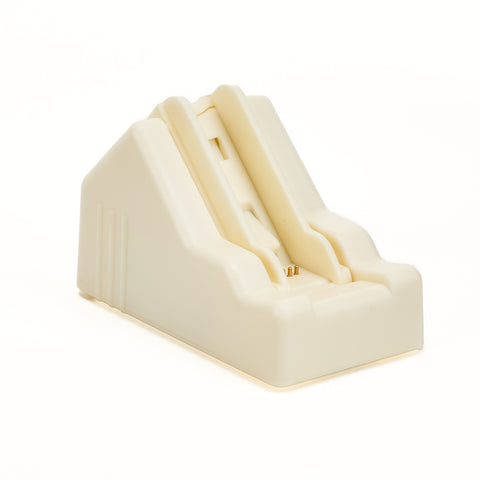
Tools that make refilling easy
Chip resetters and refill accessories that work across Canon printer families.
ICC profiles for other printers
Canon PRO-1000Canon PRO-100Canon PRO-200Canon PRO-300Canon PRO-10Epson P600Epson P800Epson P400Epson ET-8550Epson R3000Epson 3880Epson R2400Epson R1900Epson R2000Epson 1400Epson Artisan 1430Epson R2880Canon PRO-1Canon Pro9500Canon Pro9000Canon PGI-5 / CLI-8Canon PGI-220 / CLI-221Canon PGI-225 / CLI-226Canon PGI-280 / CLI-281Epson R260 / R280 / R380Epson Artisan 700 to 837Epson XP-520 to XP-820