

New website since October 2026. See what changed
Guide
Canon cartridge refilling basics, part 3: why you should not print to empty
Part 3 of 5. What happens inside a Canon sponge-type cartridge between the low ink warning and empty, and why refilling at the low warning keeps refilled cartridges printing reliably.
Before you start
Steps
-
Step 1: Understand what the printer does between low and empty
CarefulRunning the printhead without ink can damage it permanently.
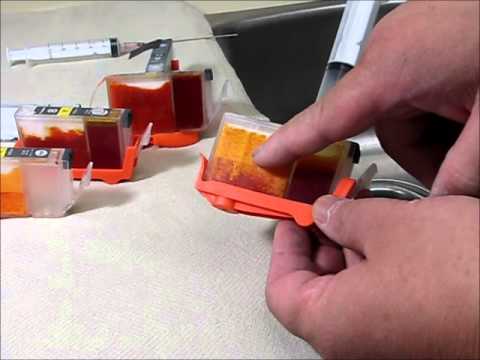 Watch: Advanced aspects of Canon cartridge refilling (part 3 of 5)
Video: Advanced aspects of Canon cartridge refilling (part 3 of 5) (youtu.be/lioycomsMkQ)
-
Step 2: Know what printing to empty does to the sponge
-
Step 3: Refill at the low ink warning
TipRemember: bottom solid. If the bottom of the sponge looks faded or patchy, do not print with that cartridge.
Troubleshooting
Stuck on a step? Contact support. We answer refill questions daily.
Precision Colors, precisioncolors.com/pages/guides/canon-cartridge-advanced-aspects