




New website since October 2026. See what changed


Actual product may differ slightly from photos. See description.
Fits Canon PIXMA Pro9500 and Pro9500 Mark II
Refills the PGI-9PC cartridge
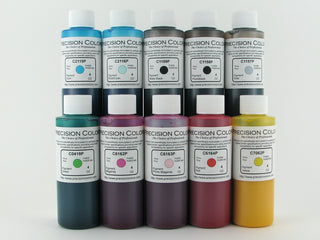
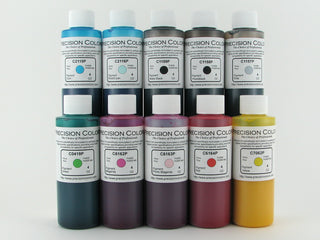
Canon PGI-9PC Compatible Photo Cyan Ink for Pro9500 / MkII
Regular price
$8.50
Sale price
Regular price
Shipping calculated at checkout.
Available in stock (1000)
Choose a size
One original Canon cartridge holds 14 ml
Ships internationally. Rates are shown at checkout.
Precision Colors inkOur own pigment ink, made for close OEM color matching.
Close OEM color matching. Free ICC profiles for your printer and paper. Find your profile
Printer-safe formula. Made to work with your machine, not against it.
We stand behind every order. Damaged, wrong or missing items are replaced at no cost. Unopened items from US and Canadian orders can be returned within 30 days. Return Policy
Making refill ink since 2005. Not a newcomer. A maker.

New to refilling?
Start with a Pro9500 Starter Kit: every color plus the tools, from $87.85.
About this product
About this product
Compatible Photo Cyan ink for the Canon PIXMA Pro9500 / Pro9500 MkII. Replaces the Canon PGI-9PC cartridge. Pigment-based formula for archival-quality photo prints with exceptional color accuracy. Available in 2oz, 4oz, 8oz, 16oz.
An original Canon PGI-9 cartridge holds 14 ml. By volume, a 2 oz bottle (59 ml) equals about 4 cartridges, 4 oz about 8, 8 oz about 16 and 16 oz about 33.
Storage & Handling
Storage & Handling
Store inks tightly capped and upright, at room temperature, away from direct sunlight and heat. Properly stored, sealed bottles can last for years. Use a clean syringe for each color to avoid cross contamination, and wipe up any drips with a damp paper towel. Use a cleaner with ammonia (e.g. Windex) to clean tough drips or spills.
Accessories like resetters and clips need no special care beyond keeping them clean and dry.
Keep all inks and refill tools out of reach of children and pets. Not for any use other than printer refilling.

Complete the set
Add more Pro9500 colors
Add in
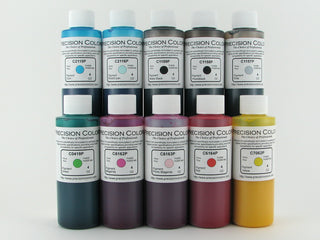
PGI-9PC
Photo Cyan
This page
Pro9500 Resources
Free ICC Profiles
Custom profiles made in-house with an XRite i1Pro2 spectrophotometer. Free to download.
23 papers across 5 brands
No papers match.
Kirkland Papers
Professional Glossy Tulip Version HQ SettingPaper setting: Photo Paper Plus GlossyII ZIPCanon Papers
Photo Paper Plus Glossy IIPaper setting: Photo Paper Plus GlossyII ZIP Photo Paper Plus Semi GlossPaper setting: Photo Paper Plus SemiGloss ZIP Photo Paper Pro LusterPaper setting: Photo Paper Pro Luster ZIP Photo Paper Pro PlatinumPaper setting: Photo Paper Pro Platinum ZIP Matte Photo PaperPaper setting: Matte Photo Paper ZIPInkPress Papers
LusterPaper setting: Photo Paper Pro Luster ZIPStaples Papers
Photo Plus GlossyPaper setting: Photo Paper Plus GlossyII ZIP Supreme MattePaper setting: Matte Photo Paper ZIP Supreme MattePaper setting: Matte Photo Paper ZIPRed River Papers
Ultra Pro Satin 4Paper setting: Photo Paper Plus SemiGloss ZIP Arctic Polar SatinPaper setting: Photo Paper Plus SemiGloss ZIP Polar Pearl MetallicPaper setting: Photo Paper Plus GlossyII ZIP Premium MattePaper setting: Matte Photo Paper ZIP Polar MattePaper setting: Matte Photo Paper ZIP Ultra Pro GlossPaper setting: Photo Paper Plus GlossyII ZIP Arctic Polar GlossPaper setting: Photo Paper Plus GlossyII ZIP Pecos River GlossPaper setting: Photo Paper Plus GlossyII ZIP San Gabriel BarytaPaper setting: Photo Paper Plus SemiGloss ZIP GreenPix MattePaper setting: Matte Photo Paper ZIP Premium MattePaper setting: Matte Photo Paper ZIP Polar MattePaper setting: Matte Photo Paper ZIP GreenPix MattePaper setting: Matte Photo Paper ZIPAbout these profiles: rendering intent, lighting variants, licensing
Profiles are created with Argyll CMS and an XRite i1Pro2 spectrophotometer. Use Relative Colorimetric rendering intent. Each download includes the standard D50 profile plus a tungsten/quartz variant for warmer viewing light. Profiles are free for Precision Colors customers; commercial redistribution requires approval.
Questions before you buy
Will the color match the original ink?
Will the color match the original ink?
Is refill ink safe for my printer?
Is refill ink safe for my printer?
What do I need for my first refill?
What do I need for my first refill?
What if my order arrives damaged or wrong?
What if my order arrives damaged or wrong?
What The Experts Say About Us
“I discovered Precision Colors early in my printing career, and they quickly proved to be the best I had tested. They’ve lived up to that reputation ever since.”
Jose Rodriguez
Photo Printing Techie, YouTube