






New website since October 2026. See what changed

Collection:
Canon Pro-200 Ink Refill
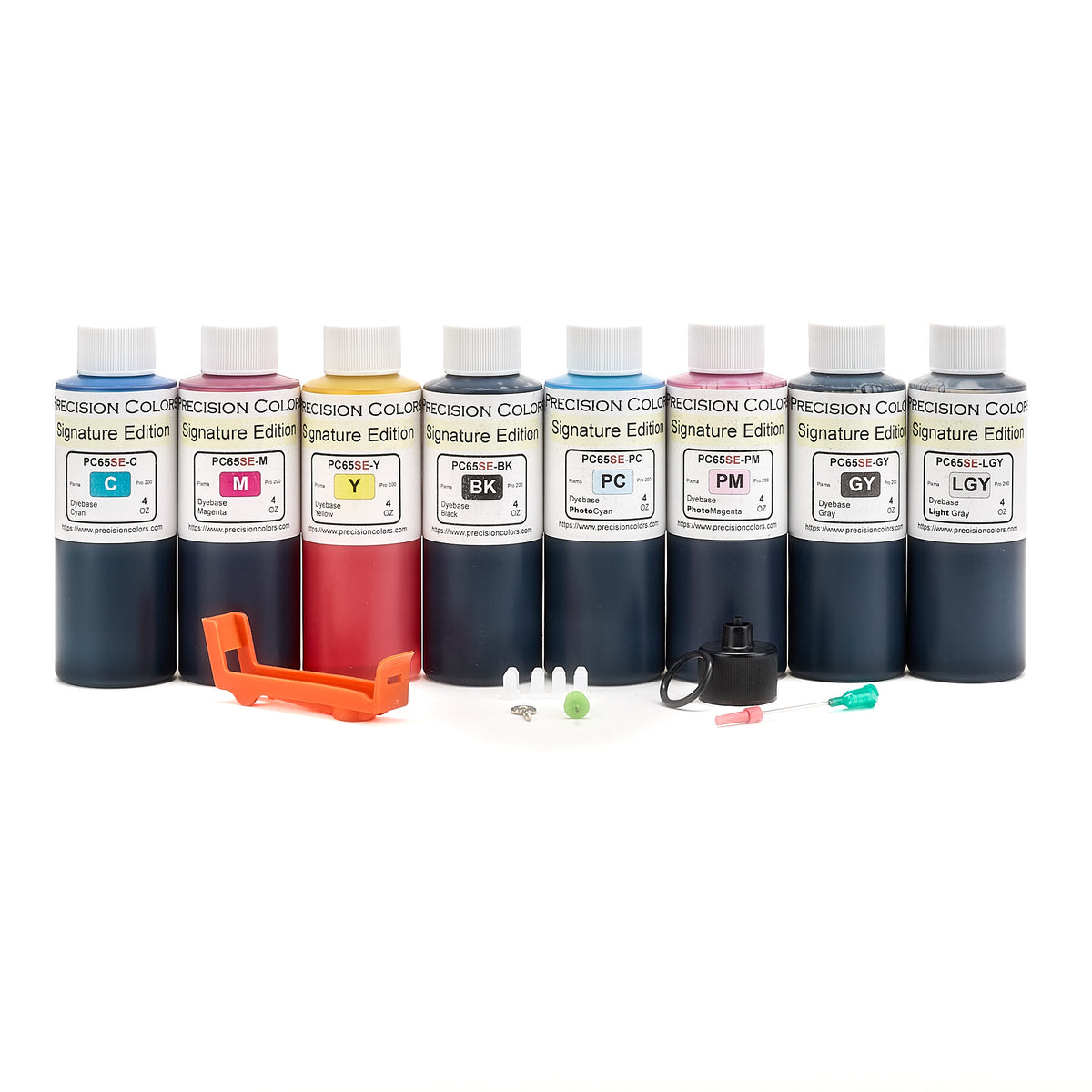
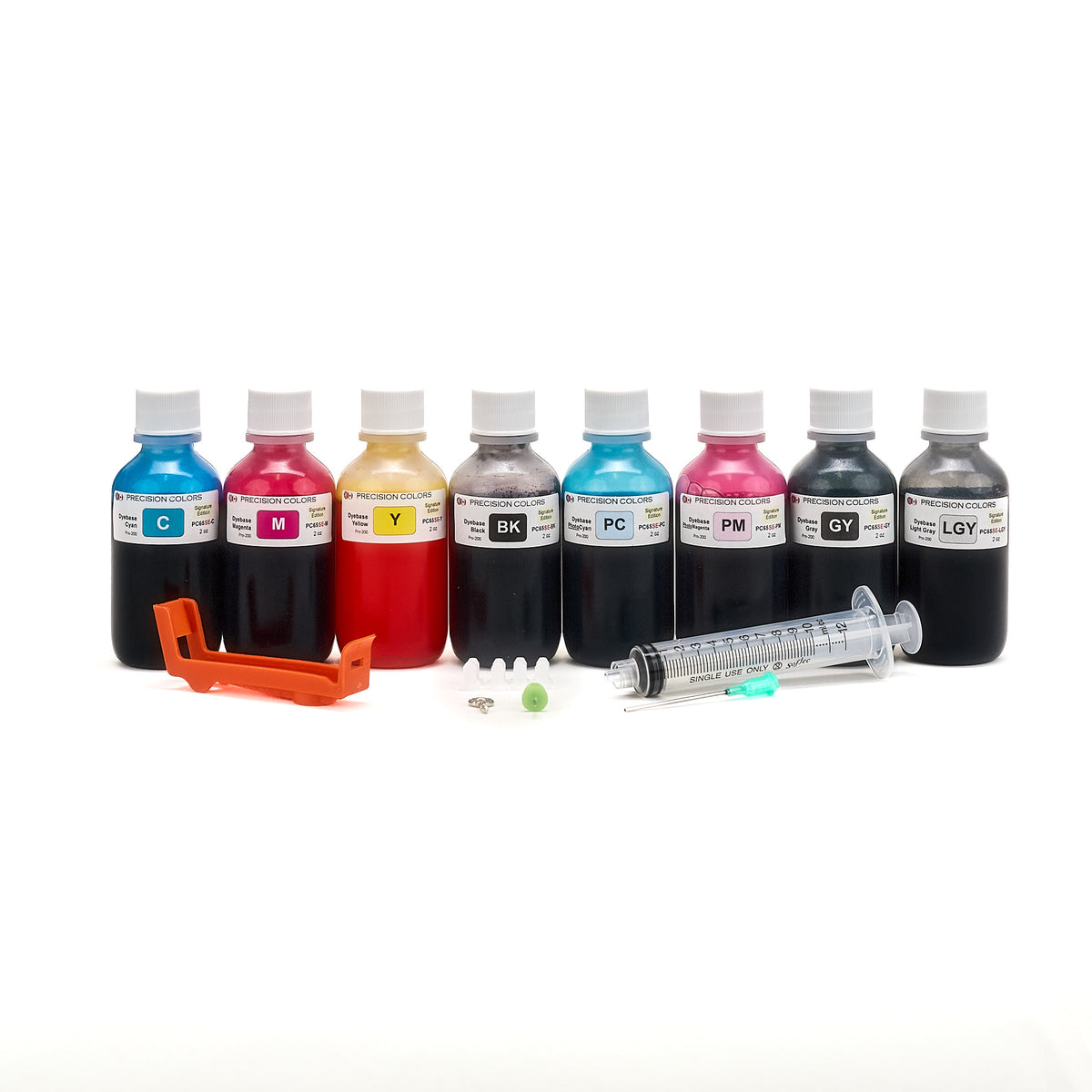
Eight dye colors on the CLI-65 system, mixed to match Canon's originals and profiled for accuracy. Refill ink replaces the ink in your cartridges, not the cartridges themselves. Everything here also fits the PRO-200S.
8 ink channels · CLI-65 cartridge system · Free ICC profiles
25+ years, 10,000+ customers
Satisfaction guarantee on every bottle
Fits the PIXMA PRO-200 and PRO-200S
New to refilling? One decision, made once.
CLI-65 refilling needs no drilling and no special chips. The chips you already own keep working. The only real fork is which cartridges you fill.
Path AMost popular
Refill your original Canon cartridges
A one-time modification opens a fill port, using the screw eye hook and push pin included in every kit. After that each refill is pull the plug, fill, replace the plug.
First purchase
Basic or Standard Kit
Repeat
Ink only, 2 oz to 16 oz
Safeguard
Silicone plugs reseal the fill port
Compare kit tiers
From $57.00
Path BNo modification
Start with compatible CLI-65 cartridges
Translucent bodies arrive with fill ports built in, so your original Canon cartridges are never modified. Move the chips over from your Canon tanks once, about a minute per cartridge.
First purchase
Premium Kit
Repeat
Ink only, 2 oz to 16 oz
Safeguard
See-through bodies show true ink levels
See the Premium Kit
From $122.05, or $30.00 for the cartridge set alone
Both paths use the same inks and reuse the chips from your original Canon cartridges.
Getting Started Kits
Every kit includes all 8 inks. Choose 2 oz or 4 oz bottles.
|

|
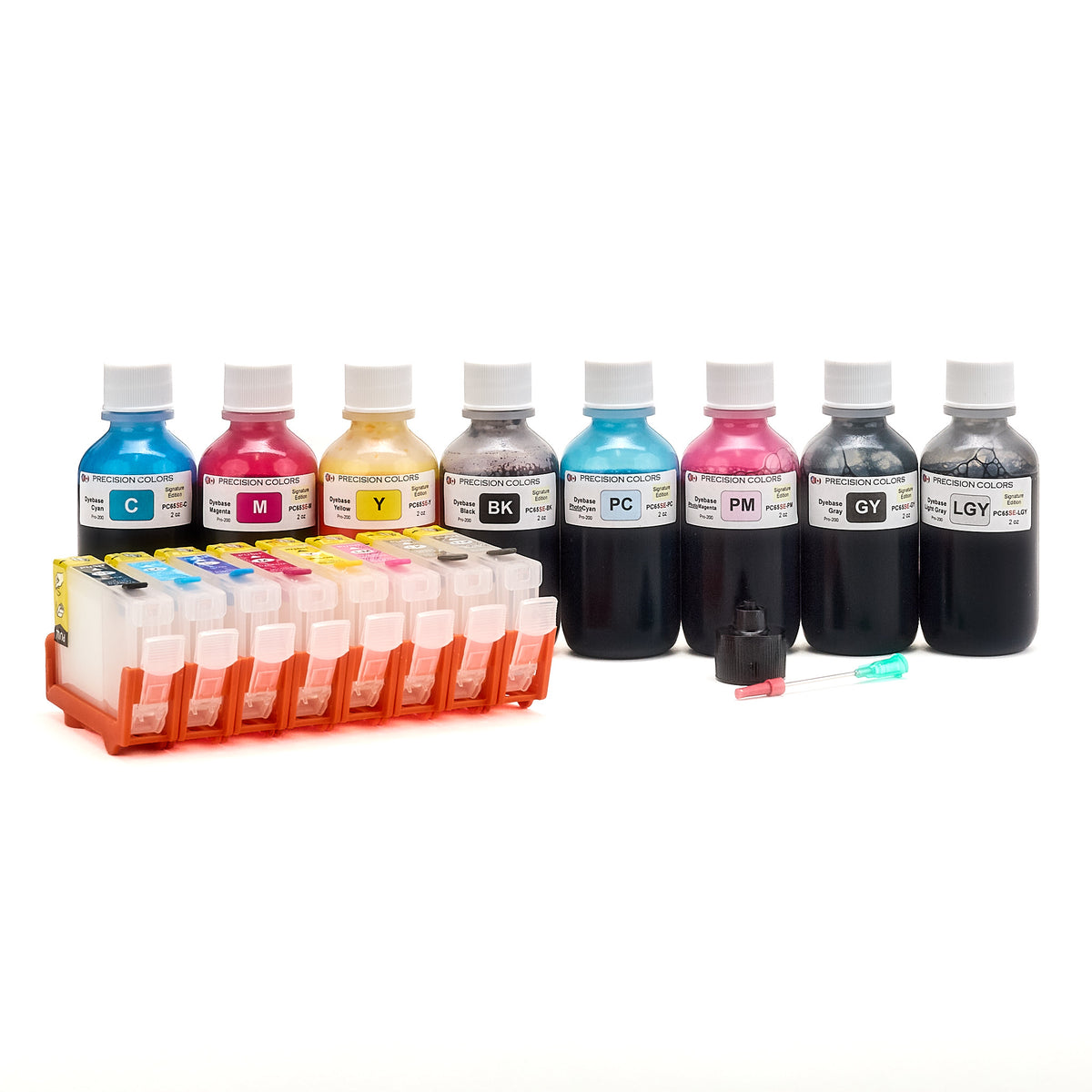
|
|
|
2 oz or 4 oz |
2 oz or 4 oz |
2 oz or 4 oz |
|
|
Included |
Included |
Not needed |
|
|
1 syringe + 1 needle |
Replaced by caps |
Replaced by caps |
|
|
8 needles + 8 caps |
8 needles + 8 caps |
||
|
8 plugs |
8 plugs |
Built into the cartridges |
|
|
1 clip |
8 clips |
||
|
8 translucent, chips transfer over |
|||
|
$57.00 2 oz / $121.88 4 oz |
$97.30 2 oz / $142.18 4 oz |
$122.05 2 oz / $162.93 4 oz |
CLI-65 Compatible Empty Cartridges without Chips
Regular price
$30.00
Sale price
Regular price
Choose your option
Canon CLI-65 Compatible Ink Set for PRO-200 / PRO-200S – 8 oz (8 Colors)
Regular price
$171.00
Sale price
Regular price
Choose your option
Canon CLI-65 Compatible Ink Set for PRO-200 / PRO-200S – 2 oz (8 Colors)
Regular price
$57.00
Sale price
Regular price
Choose your option
Canon CLI-65 Compatible Ink Set for PRO-200 / PRO-200S – 4 oz (8 Colors)
Regular price
$89.88
Sale price
Regular price
Choose your option
CLI-65 / Pro-200 Compatible Starter Kit (Premium) - 4 oz
Regular price
$150.68
Sale price
Regular price
Choose your option
CLI-65 / Pro-200 Compatible Starter Kit (Premium) - 2 oz
Regular price
$109.80
Sale price
Regular price
Choose your option
CLI-65 / Pro-200 Compatible Starter Kit (Standard) - 4 oz
Regular price
$146.18
Sale price
Regular price
Choose your option
CLI-65 / Pro-200 Compatible Starter Kit (Standard) - 2 oz
Regular price
$105.30
Sale price
Regular price
Choose your option
CLI-65 / Pro-200 Compatible Starter Kit (Basic) - 4 oz
Regular price
$104.23
Sale price
Regular price
Choose your option
CLI-65 / Pro-200 Compatible Starter Kit (Basic) - 2 oz
Regular price
$71.35
Sale price
Regular price
Choose your option
Cartridges, tools and refill parts
For repeat buyers who know what they came for. Replace a missing part, add spare cartridges, or better organize your inks.
Choose your option
Choose your option
Choose your option
Choose your option
Choose your option
Choose your option
Choose your option
Questions before your first refill
Are the PRO-200 inks dye or pigment?
Are the PRO-200 inks dye or pigment?
How do I refill my CLI-65 cartridges? Do I have to modify them?
How do I refill my CLI-65 cartridges? Do I have to modify them?
Do the compatible cartridges come with chips?
Do the compatible cartridges come with chips?
Is there a chip resetter for the CLI-65?
Is there a chip resetter for the CLI-65?
Do you have ICC profiles for this printer?
Do you have ICC profiles for this printer?
Can I refill a cartridge that is not empty yet?
Can I refill a cartridge that is not empty yet?
My refilled PRO-200 is printing streaks or missing colors. Is the printhead dead?
My refilled PRO-200 is printing streaks or missing colors. Is the printhead dead?
Guides and free ICC profiles
Guides & Documents
Everything you need to refill with confidence.
PRO-200 Refill InstructionsGUIDEHow to use purge pagesPAGEPurge page, all colors (Letter)PDFPurge page, all colors (A4)PDFPurge page, all colors (13x19)PDFPurge page, all colors (4x6)PDFPurge pages: PNG packZIPFree ICC Profiles
Custom profiles made in-house with an XRite i1Pro2 spectrophotometer. Free to download.
34 papers across 5 brands
No papers match.
Canon Papers
Matte Photo PaperPrinter media setting: Matte Photo Paper, High quality. D50 profile. ZIP Photo Paper Plus Glossy IIPrinter media setting: Photo Paper Plus Glossy II, High quality. D50 profile. ZIP Photo Paper Plus Semi GlossPrinter media setting: Photo Paper Plus Semi-Gloss, High quality. D50 profile. ZIP Photo Paper Pro LusterPrinter media setting: Photo Paper Pro Luster, High quality. D50 profile. ZIP Photo Paper Pro PlatinumPrinter media setting: Photo Paper Pro Platinum, High quality. D50 profile. ZIP Photo Paper Pro Premium MattePrinter media setting: Photo Paper Pro Premium Matte, High quality. D50 profile. ZIPRed River Papers
Arctic Polar LusterPrinter media setting: Photo Paper Plus Semi-Gloss, High quality. D50 profile. ZIP Arctic Polar SatinPrinter media setting: Photo Paper Plus Semi-Gloss, High quality. D50 profile. ZIP Aurora Art NaturalPrinter media setting: Matte Photo Paper, High quality. D50 profile. ZIP Aurora Art WhitePrinter media setting: Matte Photo Paper, High quality. D50 profile. ZIP Big Bend BarytaPrinter media setting: Photo Paper Pro Luster, High quality. D50 profile. ZIP Blanco Matte CanvasPrinter media setting: Matte Photo Paper, High quality. D50 profile. ZIP Palo Duro EtchingPrinter media setting: Matte Photo Paper, High quality. D50 profile. ZIP Palo Duro SatinPrinter media setting: Photo Paper Plus Semi-Gloss, High quality. D50 profile. ZIP Palo Duro Smooth RagPrinter media setting: Matte Photo Paper, High quality. D50 profile. ZIP Palo Duro Soft Gloss RagPrinter media setting: Photo Paper Plus Semi-Gloss, High quality. D50 profile. ZIP Paper CanvasPrinter media setting: Matte Photo Paper, High quality. D50 profile. ZIP Pecos River GlossPrinter media setting: Photo Paper Pro Luster, High quality. D50 profile. ZIP Polar Gloss MetallicPrinter media setting: Photo Paper Pro Luster, High quality. D50 profile. ZIP Polar MattePrinter media setting: Matte Photo Paper, High quality. D50 profile. ZIP Polar Pearl MetallicPrinter media setting: Photo Paper Pro Luster, High quality. D50 profile. ZIP Premium GlossPrinter media setting: Photo Paper Pro Luster, Standard quality. D50 profile. ZIP Premium Matte PlusPrinter media setting: Matte Photo Paper, High quality. D50 profile. ZIP River LinenPrinter media setting: Photo Paper Pro Premium Matte, High quality. D50 profile. ZIP San Gabriel Baryta 2.0Printer media setting: Photo Paper Plus Semi-Gloss, High quality. D50 profile. ZIP Ultra Pro Gloss 2.0Printer media setting: Photo Paper Pro Luster, High quality. D50 profile. ZIP Ultra Pro LusterPrinter media setting: Photo Paper Pro Luster, High quality. D50 profile. ZIP Ultra Pro Satin 4.0Printer media setting: Photo Paper Plus Semi-Gloss, High quality. D50 profile. ZIP Zeppelin Semi-GlossPrinter media setting: Photo Paper Plus Semi-Gloss, Standard quality. D50 profile. ZIPKirkland Papers
Professional Glossy (High quality)Printer media setting: Photo Paper Pro Luster, High quality. D50 profile. ZIP Professional Glossy (Standard quality)Printer media setting: Photo Paper Pro Luster, Standard quality. D50 profile. ZIPAbout these profiles: rendering intent, lighting variants, licensing
Profiles are created with Argyll CMS and an XRite i1Pro2 spectrophotometer. Use Relative Colorimetric rendering intent. Each download includes the standard D50 profile plus a tungsten/quartz variant for warmer viewing light. Profiles are free for Precision Colors customers; commercial redistribution requires approval.